Residential CCTV Installation in Brisbane

Install Residential CCTV Today

Protect Your Home with a CCTV System That’s Actually Designed for It

Sticking a few cameras on your house isn’t the same as securing it. Where you put them, what angle they cover, how they connect to your network, where footage gets stored, and how they hold up outdoors all of that decides whether your system actually works when it matters.

Smart WiFi installs residential CCTV across Brisbane and South East Queensland, and we start by looking at your property, not a catalogue. We walk the site, figure out where the coverage gaps would be, and build a camera layout around your home rather than a standard package.

Depending on what you need, that can mean HD or 4K cameras, motion detection, remote viewing on your phone, and night vision so you’re not blind after dark. Whether you’re fitting out a new build, upgrading a tired old system, or adding CCTV to a house that’s never had it, we’ll design something that suits both the property and the network behind it.
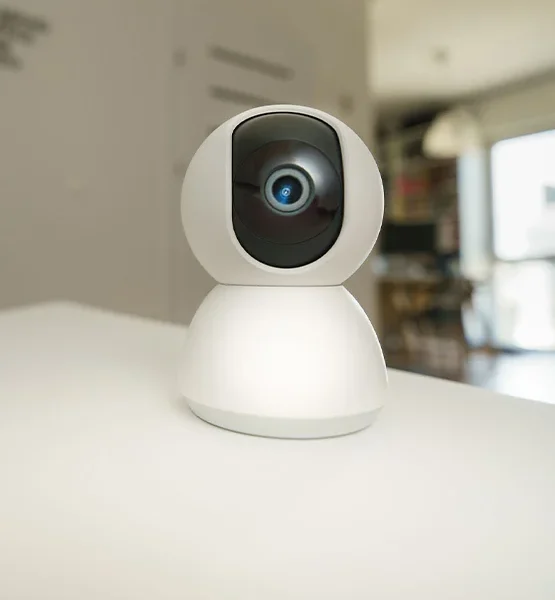
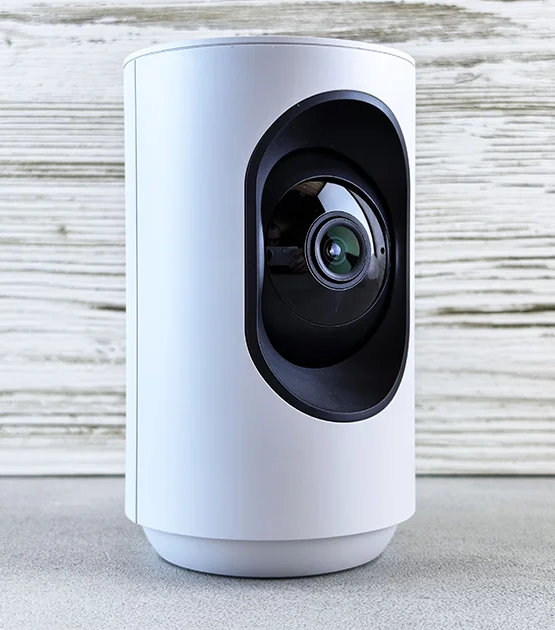
Compact indoor security camera for residential CCTV monitoring installed by Smart Wifi in Brisbane

See What Our Customers Say

A Layout Built Around Your Property, Not a Template

No two homes need the same setup. What covers a small suburban block properly won’t cut it on a corner block, a bigger home, or a property with a shed or granny flat out back.

We look at entrances, the driveway, garages, side gates, and any outdoor blind spots before we plan anything.

Property Zone What We’re Protecting Typical CCTV Features
Front Entrance & Porch Visitors, deliveries, anyone at the door HD/4K, motion detection, remote viewing
Driveway & Garage Vehicles and access points Wide-angle coverage, night vision, motion detection
Side Gates & Passages Narrow spots that usually get missed Compact cameras, motion detection, night vision
Backyard & Perimeter Outdoor areas and boundary lines IP67-rated outdoor cameras, infrared night vision, wide coverage

Exactly which cameras go where depends on your home’s layout, lighting, and how far each camera needs to see.

What CCTV Looks Like for Brisbane Homes Specifically

Brisbane properties vary a lot, and so does what they need from a CCTV system. A smaller suburban home might only need solid coverage on the entrance, driveway and side access. A bigger property often needs more garages, rear entrances, sheds or granny flats, and the boundary line.

We plan around the actual property, not a fixed package. That means looking at how people and cars approach the house, which spots genuinely need eyes on them, where cameras can realistically be mounted, and how each one will connect back to the recorder.

Brisbane’s weather matters here too. Outdoor cameras cop a fair bit of heavy rain, humidity, and brutal summer heat, so the housing and placement need to suit that. IP67-rated cameras, where appropriate, hold up against dust and short bursts of water exposure. And it’s not a small consideration: Brisbane copped 1,497.6mm of rain in 2025, well above the long-term average, which is exactly why gear that can handle the weather matters for local installs.

Where Coverage Usually Matters Most in Brisbane

For most Brisbane homes, CCTV planning comes down to a handful of areas:

  • Front doors and entrances
  • Driveways and garages
  • Side gates and narrow access paths
  • Rear doors and outdoor areas
  • Detached garages, sheds or other structures
  • Property boundaries and perimeter areas

The goal is continuous, clear coverage across those areas, with no gaps where it counts.

Privacy and Camera Placement in Queensland

It’s worth planning cameras responsibly, not just effectively. Queensland guidance recommends thinking about how your cameras might affect neighbouring properties, and the law restricts recording people without consent in places they’d reasonably expect privacy, bedrooms and bathrooms being the obvious examples.

Practically, that means angling cameras to cover your own entrances, driveway and yard without capturing more of next door than you need to. It’s something we factor into camera placement and angles from the start.

What’s Actually in a Residential CCTV System

  • HD and 4K CCTV

    Higher resolution means clearer footage when you need to review something closely. That said, 4K isn’t automatically the right call for every camera on the property. We pick resolution based on where the camera sits and what it’s watching, not just whatever’s highest spec.

  • Motion Detection

    Useful for flagging activity in the areas you actually care about. Getting the positioning and sensitivity right matters too, otherwise you’ll be fielding alerts every time a possum wanders through.

  • Remote Viewing

    Check your cameras from your phone, wherever you are. Handy for a quick look while you’re at work, or checking who’s at the door when you’re not home.

  • Night Vision

    Security doesn’t clock off at sunset. Cameras with proper night vision keep your entrances, driveway and outdoor areas visible after dark, not just a grainy grey blur.

  • IP67 Outdoor Protection

    Outdoor cameras are exposed to rain, dust, and whatever the weather throws at them. IP67-rated units are built to handle that, which matters a lot for anything mounted outside.

As always, the exact spec should match the environment the camera’s actually going into.

Good CCTV Starts with the Network Behind It

The cameras themselves are only half the story the network carrying that footage matters just as much.

For a lot of installs, Power over Ethernet (PoE) is the way to go. It runs power and data down the same cable, which makes it a solid, low-fuss option for permanent spots like entrances, driveways and exterior walls.

Where running cable isn’t practical a detached garage or shed, for example, a wireless or wireless-bridge setup can fill the gap.

We work out whether your home is better suited to:

  • Hardwired PoE CCTV for permanent, dependable camera connections
  • Wireless CCTV where cabling just isn’t realistic
  • A hybrid setup, wired where it counts, wireless where it makes sense

The aim isn’t to make everything wireless for the sake of it; it’s to build whatever actually works best for your property.

Where Wi-Fi 7 Fits Into Home Security

As more homes move to Wi-Fi 7, the network behind your connected devices gets noticeably more capable. One feature worth knowing about is Multi-Link Operation (MLO), which lets compatible devices use several wireless links at once across different bands, useful for keeping connections stable when one path gets congested or runs into interference.

For CCTV specifically, though, Wi-Fi 7 isn’t a straight swap for wired infrastructure. Camera requirements, how your house is built, and where each camera sits still shape the network design.

We can assess your existing setup and tell you where wired PoE makes sense, where stronger Wi-Fi will do the job, and where a mix of both is the better call.

Common CCTV Problems (and How We Fix Them)

The Problem The Fix
Blind spots in coverage Plan positions properly around entrances, access points and boundaries
Too many false alerts Set motion detection zones to match what actually needs watching
Footage is useless at night Fit cameras with night vision suited to the location
Outdoor cameras struggling with weather Use weather-rated gear, like IP67 units
Cameras keep dropping out Check Wi-Fi coverage, network capacity and cabling
No cabling to the shed or garage Look at a wireless bridge or hybrid connection
Can’t check footage remotely Set up remote viewing properly during install

How We Install Residential CCTV

  • 1. Property Assessment

    We walk the property, check access points, outdoor areas and anywhere that needs coverage.

  • 2. Camera Planning

    We map out positions and angles with the goal of no blind spots in the areas that matter.

  • 3. System Design

    We pick the cameras, resolution, night vision, storage and connectivity to suit your property.

  • 4. Network & Infrastructure Review

    We check your existing cabling, network gear and Wi-Fi to figure out whether PoE, wireless or a hybrid setup makes sense.

  • 5. Installation

    Cameras, cabling and recording equipment go in according to the agreed design.

  • 6. Configuration & Optimisation

    We set up motion detection, recording, remote viewing and everything else that needs dialling in.

  • 7. Handover

    We walk you through the system so you actually know how to check your cameras and pull up footage later.

CCTV for Every Type of Home

We design residential CCTV for all kinds of properties, including:

  • Single-storey homes
  • Multi-storey homes
  • Larger residential properties
  • Homes with detached garages
  • Properties with long driveways
  • Homes with side access or multiple entry points
  • New builds and renovations
  • Existing homes needing a CCTV upgrade

What you actually need comes down to the property itself and what you want covered.

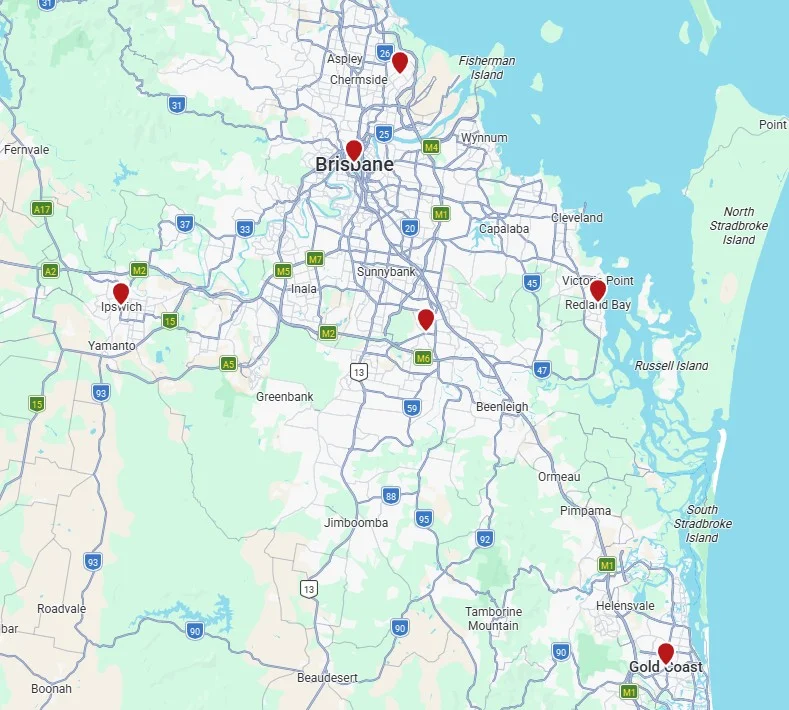
Servicing Brisbane & South East Queensland

We install residential CCTV across:

  • Brisbane
  • Gold Coast
  • Logan
  • Ipswich
  • Moreton Bay
  • Redlands
  • South East Queensland more broadly

Every system we design is built around the property’s layout, access points and security needs entrances, driveways, garages, side access, outdoor areas and boundaries, with IP67-rated options available for anything exposed.

Service area map showing Smart WiFi's residential CCTV installation services across Brisbane and surrounding areas
security camera installers - smart wifi - brisbane

Why Smart WiFi

We treat CCTV as part of your home’s broader network, not a bolt-on. Rather than just working out where to mount cameras, we think about how they connect, where the recording equipment lives, and whether your current network can actually support the system you need.

That network-first approach makes a real difference when your CCTV has to work alongside everything else connected in your home. Learn more about why homeowners choose Smart WiFi.

Ready to Secure Your Home?

A CCTV system should give you clear coverage where it counts, without a mess of unnecessary complexity. Smart WiFi installs residential CCTV across Brisbane and South East Queensland, built around your property, your network and what you actually need covered.

We install CCTV systems in and around South East QLD to help protect your home

Receive your quote within one business day after filling out our simple form below

Google Reviews
Google Reviews
30+ 5* Reviews
Checkatrade.com

Reliability & timekeeping    9.78/10
Tidiness                                   9.56/10
Courtesy                                 10/10
Workmanship                         9.67/10

Checkatrade.com
Scores in the last 12 months
Bark.com
Bark.com
Bark Elite Status

Suppliers

Smart Expert WiFi Data Cable Installers Brisbane and Gold Coast UniFi Meraki

Accreditations

Smart Expert WiFi Data Cable Installers Brisbane and Gold Coast UniFi Meraki

Maintenance:

CCTV digital recorder systems are maintained via an onsite visit

Warranty: 

Cabling for home CCTV installation is guaranteed for 12 months following the date of the installation. CCTV equipment is guaranteed for 12 months following the date of installation. If a call-out is required to complete a repair, and it is diagnosed and proven that the fault is not of poor installation or faulty equipment, the time is chargeable. There is no charge for a call-out if the equipment is deemed to be faulty.

Service Promise:

If you are an existing customer, and in the event, you require assistance with your system. We will endeavour to resolve your problem within 14 days, often it is much sooner!

Smart WiFi technician in Brisbane checking commercial CCTV network equipment with a laptop

Are you looking for ‘professional CCTV installation near me?’ We can help you! Call 07 2103 0539 or email us at sales@smart-wifi.com.au to know more.

Payment Methods

smart wifi Brisbane and Gold Coast. wifi and cctv specialists
Smart Expert WiFi Data Cable Installers Brisbane and Gold Coast UniFi Meraki
smart wifi Brisbane and Gold Coast. wifi and cctv specialists
Smart Expert WiFi Data Cable Installers Brisbane and Gold Coast UniFi Meraki

Frequently Asked Questions

What's included in a residential CCTV installation?

Camera planning, the right HD or 4K cameras for the job, network connectivity, a recorder, motion detection, night vision and remote viewing the exact mix depends on what your property needs.

Can you eliminate blind spots completely?

We plan camera positions around your access points and security needs with that as the goal, but the result always depends on your property’s actual layout and where cameras can realistically go.

Is 4K always better for home CCTV?

Not necessarily. It gives you more detail, but the right resolution depends on viewing distance, camera position and lighting not just picking the highest number available.

Wired or wireless, which is better?

Neither wins outright. PoE cabling suits permanent positions well; wireless or bridged connections make more sense where cabling isn’t practical. Most homes end up with a mix of both.

Can I check my cameras remotely?

Yes, compatible systems let you view your cameras from your phone or another device, wherever you are.

Does CCTV work at night?

Yes, as long as the cameras have night vision suited to the area they’re covering. How much you need depends on the lighting already there.

Are outdoor cameras actually weatherproof?

Good ones are. IP67-rated cameras handle dust and short exposure to water, which covers most exposed spots around a home.

Will CCTV slow down my home Wi-Fi?

It can, especially with several cameras relying on wireless. A network check can tell you whether PoE, better Wi-Fi coverage, or a hybrid setup is the smarter option.

Can you add CCTV to an existing house?

Yes, it’s just as doable on an existing home as a new build. The approach depends on the building itself, what cabling’s already there, and where cameras need to go.

How many cameras does my home actually need?

That depends on the size of the property, how many entrances and access points you have, the driveway, outdoor areas, and how far each camera needs to see. A proper walk-through of the property is really the only way to nail this down.